

Had it for 2 weeks, and took a short video of the phone itself. More detail review to come later!
windows mobile
StayUnlock at your peril
18 months ago, I created a hack utility called Stayunlock, to overcome the security policy enforced by my company, which requires me to use device lock, and disable the ability to turn off the device lock option.
18 months later, I was forced to use device lock on my smartphone because the utility doesn’t work on smartphone platform, and I was too lazy to port it over.
Many weeks back, after I lost my Treo 500v through a theft, I suddenly appreciate the value of security policy. We always take thing for granted until the day the unexpected hit us.
Just yesterday, I ported the hack utility to the WM5/6 smartphone platform, since there has been some requests on the net asking for it. Even though I have the hack utility running now, I have yet to turn off the device lock feature. In fact, I have stepped up the security further by using a more sophiscated passcode. Such is a ‘success’ story of a change management.

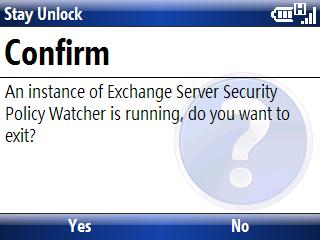
You can download the smartphone edition from this link StayUnlock (Smartphone Edition).
unexpected addition of new ‘kwell’ gadget – MOTO-Q9H
It was quite a week for me for the last 7 days, just after my birthday.
After a hectic week of night teleconference,s I was greeted by a rude theft shock. One of the lost item was my favourite Palm Treo 500v, which I have sung praises on it despite the mediocre product specifications.
As a matter of fact, for the last 3 weeks, I have been thinking the new Motorola Q9H. There was however no really strong reason for me to change given my wonderful Treo 500v. But now there is, though not something I would have expected or wanted.

So while I was looking around for a new replacement, Q9H certainly topped in my radar list. The sight of iPAQ 900/600 is still fictional, so really my choices were rather limited, based on my personal buying critieras; ASUS 530W, Motorola Q9H, Samsung I600 or simply go back to Palm Treo 500v.
Not that the Treo is a lousy one, just that getting back another Treo 500v may not excite me like a new toy would. I can’t bring myself to fork out another few hundred dollars on exactly the same gadget that I have been using for the last 4 months. If I have to spend, I must let myself know explicitly that I got a new toy right?
I finally managed to get my hand on the Q9H. The buying experience was a saga though, but I shall not digress any further since what it matters now most is the toy itself. Continue reading
First hand experience of Treo 500v
With a stroke of luck, I managed to grab a good deal for a “brand new” Treo 500v. Like a 5 year old kid receiving his new toy, I wasted no time in setting it up and have been using it for the last 2 days. So here’s my candid impression of this smartphone.

The first impression of the phone is good. The phone feels well built and showcases high quality finishing, probably perceived by its glass ornament over its LCD screen. The battery cover has a perfect fitment and the phone does not creak as you hold it, as reported. On the otherhand, the QWERTY key buttons do not feel flimsy, every key press is firm but not hard, except maybe for the space bar. The key backlight illuminates the keyboard well in the dark. Interestingly, even the mini-USB charger socket is illuminated, although it is not known to me if this is purposely designed, or “a side effect” by the key backlight. Continue reading
New release for Windows CE SIP utility
Last month, I created an utility called SIP Select. It’s now updated with a smaller footprint, together with some minor enhancements. The pop up menu now shows the current SIP being selected, and is aligned to the bottom of the screen.

You can download the latest utility here
Windows CE SIP utility
Here’s the utility that I have created to select the SIP without having to tap on the SIP icon. Obviously, you need to map one of the hardware key to the utility, for my case I use WM5Menu to do it (see below).
This was created originally for me to enable NullKB to be my default key on startup (for some reason, I cannot do that in registry, so I created this utility to be run during a startup) .. since then, I have seen people writing mortscript to switch SIP so I thought I might as well ‘expand’ my little utility project.
I added the popup menu to show the list of the SIP (see below), for selection of the SIP to be switched over to.

I use WM5menu to map the right soft key to the utility.
 –
–
I have also created a few shortcuts for standards SIP, so that you can immediately switch to the desirable SIP, without having the popup menu for selection. You may map your button to any of these shortcut. You can create new shortcuts if you have third party SIP that you want to map.

This program can be download from my blog
edit: a newer version has just been released, check this out
DIY software hack for Window Mobile Phone
if you have always been irritated by the persistent “Bluetooth Handsfree” notification message, which appears the moment your handsfree kit connects to your device, and won’t go away resulting in your left soft key inaccessible; Here’s the hack …
Take note that this currently will only support widcomm bluetooth stack (essentially only 6965, since that’s probably the only WM5 device in the market that uses WIDCOMM stack). MS stack is not supported, although with a remote chance it may run.
If you like to uninstall this hack, please run WindowsStartupCheckNotification.lnk first before uninstall.
When you have installed, soft-reset your device in order for the program to be activated.


Click here to download
This hack is also being discussed at this forum
Garmin on my iPAQ
Was bored over the weekend, and took a video capture of Garmin Que software running on my iPAQ. Enjoy!
[myspace]http://vids.myspace.com/index.cfm?fuseaction=vids.individual&videoid=989030317[/myspace]
 zen online journal