pin lock your device

lockFor somebody who develop “Stay Unlock” utility, it’s quite an ironical that I badly need a software that could initiate a pin lock (or device lock) on demand.   Pin Lock is a small utility (just one liner code to be honest) that does that, and now I feel much safer …

you can download here

HideSim .. another Windows Mobile Professional Hack

imageresdll_i0045_0409.png

Was bored again, and perhaps irritated. Irritated by the fact that my Windows Mobile device always shows the sim card contacts (who store contacts on SIM card these days?) each time I soft reset the phone, despite carrying out the necessary registry edit to disable the display function. So end up, I created this small utility that will run at every start up, to turn off the “Show Sim” feature. Only applicable to Windows Mobile 6.0 Professional I think, since I don’t encountered such issue when using a Windows Mobile 6.0 standard.

Here’s the Hide Sim Utility

A new version of Hide Sim Utility is updated to allow you to run the program with a time argument. The argument parameter is to denote the program to wait for a certain number of minutes before executing the “hide sim” function. The default time out is 10 sec, but if you find that after a soft reset, you are still seeing the SIM card contacts, you can try to extend the time to 20 sec.

Adding Multi Keyboard Layout support in WINCE

In desktop Windows, you can add additional native language support, which enables you to toggle and choose different keyboard layouts real time, to enter text in different language.In  Windows CE, you can install more than one keyboard layout, but you can only use one layout until you modify the registry and soft-reset your phone to activate a different layout.

There’s a way to access all the installed keyboard layouts, without having to perform registry hack and soft-reset the phone. However, it is application-dependent to add this support. And no prize for guessing that Microsoft default applications are not designed to support multi-keyboard either. Continue reading

Blink Blink with power

Yes I’m bored again, and my head was spinning with some new ideas over the weekend, on how to enhance the usability of my recent new found toy.

crystal_128_energy.png

Sometimes, you wonder if Microsoft really knows what they are doing when they build their version of mobile phone platform.  Case in point; They created the LED notification ability so that users can still be alerted on missed events such as unread SMS or missed call after a period of time (from 5 minutes to indefinitely), and yet the LED stops blinking 1 minute after the event happens.

Thinking that I could overcome this “shortcoming” easily with a little utility, I realized it is not as easy as it appears to be.

Continue reading

中文输入法 for QWERTY phones

Every time I get a new Windows Mobile phone, I have to hunt for a Chinese input solution that supports qwerty keyboard properly. I have trying to find a workable solution for my i780, and while A4, PlumSIP and GuoBi can be installed and used on my device, but they introduce some ‘side effects’ that makes me look elsewhere for better solution.

I did some web research and finally came to a conclusion that I can make use of some DLL files that I believe originated from Microsoft. Packaged them with proper registry settings, I can now finally type both Chinese and English text using my qwerty keyboard. The only issue is the symbol input button has become invalid, at least for now, but that’s not a big deal for me.

Continue reading

StayUnlock at your peril

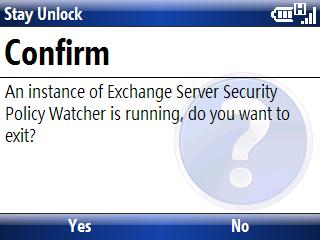
18 months ago, I created a hack utility called Stayunlock, to overcome the security policy enforced by my company, which requires me to use device lock, and disable the ability to turn off the device lock option.

18 months later, I was forced to use device lock on my smartphone because the utility doesn’t work on smartphone platform, and I was too lazy to port it over.

Many weeks back, after I lost my Treo 500v through a theft, I suddenly appreciate the value of security policy. We always take thing for granted until the day the unexpected hit us.

Just yesterday, I ported the hack utility to the WM5/6 smartphone platform, since there has been some requests on the net asking for it. Even though I have the hack utility running now, I have yet to turn off the device lock feature. In fact, I have stepped up the security further by using a more sophiscated passcode. Such is a ‘success’ story of a change management.

sshot000.jpg

sshot001.jpg

You can download the smartphone edition from this link StayUnlock (Smartphone Edition).

Windows CE SIP utility

Here’s the utility that I have created to select the SIP without having to tap on the SIP icon. Obviously, you need to map one of the hardware key to the utility, for my case I use WM5Menu to do it (see below).

This was created originally for me to enable NullKB to be my default key on startup (for some reason, I cannot do that in registry, so I created this utility to be run during a startup) .. since then, I have seen people writing mortscript to switch SIP so I thought I might as well ‘expand’ my little utility project.

I added the popup menu to show the list of the SIP (see below), for selection of the SIP to be switched over to.

I use WM5menu to map the right soft key to the utility.

I have also created a few shortcuts for standards SIP, so that you can immediately switch to the desirable SIP, without having the popup menu for selection. You may map your button to any of these shortcut. You can create new shortcuts if you have third party SIP that you want to map.

This program can be download from my blog

edit: a newer version has just been released, check this out