As mentioned in my previous blog post, I have been experimenting on the Android UI theme work in the last 2 weeks. Last weekend I thought I made the most progress in terms of establishing a deeper understanding of the Android UI framework, and in the process overcame one of the theming roadblock that I have not been able to google a satisfactory answer for.
I have compiled the summary of my theming experiment, and updated that in the previous blog post. In that update, not only I have summarised the key steps to de-compile and re-compile the UI framework, I have also outlined the key components of the de-compiled source where the changes being made and the general effect the change achieved consequently. I could have missed a couple of components, as I did the summary based on my memory re-collection, and as you know, my memory has appeared to be falling lately.
I hope this helps anybody who is interested to theme an Android phone. Feel free to drop your questions or comments if you need help, clarification or correction to what have been shared. I will try my best to answer in the limited capacity I have.
A while back I ventured into kernel programming when I tried to meddle with the kernel for my Samsung Galaxy S. (although in reality, it’s more of modifying the kernel) I thought I would have stopped my venturing but I guess (geek) habit dies hard. Having spent some time recently to modify the otherwise boring UI of my Galaxy Tablet, I had thought about doing a write up, on how Android manages its UI resources, i.e. framework-res.apk.
However, time is not at my end, as recent office workload shifts have basically stolen all my time from my hobby. So I am just going to share what I have created (only applicable for Samsung Galaxy Tablet), and if there is anybody who want to know I do it, I can always try to capture bits by bits of what I have learnt and share whatever I know.
It took me awhile to figure out the intricacies of the framework-res, so I hope you will appreciate/like the latest work!
The mod can be downloaded from this xda thread. The remaining of this article will be updated as and when I have the time, and questions I get about the resource framework.
Steps to modify Framework-res.apk
Decompile the Framework using APKTool.JAR. The command to execute a decompilation is java -jar apktool.jar d framework-res.apk <directory-where-decompiled-resources-reside>
Modify the XML resources and/or replace the PNG resource files as you wish
Compile the Framework using APKTool.JAR again. The command to java -jar apktool.jar b <directory-where-decompiled-resources-reside>
Once the resource is compiled, the newly compiled APK can be found in the dist folder of the framework-res
Before replacing the framework-res.apk in your android device with the newly compiled apk, you need to make sure the newly compiled apk has the META-INF folder and that the AndroidManifest.xml is replaced with the original version. Failure to do so will result in “bootloop”!
For other system apps APK (e.g. Settings.apk), the steps are similiar (i.e. step 1 to 4), except that you do the reverse in step 5. Instead of copying META-INF folder to your newly compiled APK, copy the res folder and file resource.arsc from the newly compiled APK to the source or original APK. Make sure you copy w/o compressing the files/folder (i.e. using store mode if you are using WinRAR)
Structure of Res folder in Framework-res.apk
Drawable – controls how the graphics should be rendered under event such as an animation
progress_horizontal.xml – Modify all the color elements to reflect the progress bar
stat_sys_battery – Modify the elements to reflect the battery level
stat_sys_battery – Modify the elements to reflect the animation of the battery
Drawable-hdpi – Replace the PNGs accordingly for the desirable theme look and feel
btn_check_* – for all check buttons design
btn_* – for all other type of buttons design
ic_* – for all icons used in system wide UI such as menu, etc.
menu_* – for the theme design of the menu
progressbar_* – to show the indeterminate state of the progress (e.g. in Market, trying to estimate the download size)
spinner_* – for the animation of the wait cursor
stat_sys_battery* – for the animation and status of battery level
stat_sys_* – for icons used in status bar to show status of system services such as signal, wifi, etc
stat_* – for all the other icons used in the status bar
statusbar_background.9 – for the background theme of the status bar (it’s a .9 png, which means you need to have 1 px border around the original design)
status_* – for the interface of the notification window (drop down from the status bar)
zzzz_quickpanel_brightness* – for the design of the brightness setting in the quick panel
zzzz_quickpanel_icon* – for the design of the icons on the quick panel shortcuts.
Layout – Controls the layout of the UI controls used in Android system wide.
preference.xml – Modify the text color of the TextView control, particularly to address the theming needs of the Account Sync screen in “Account & Sync” Settings
zzzz_quickpanel_brightness_settings.xml – Modify the text color of the CheckBox control
Values – Configures theme setting such as Colors, Styles, etc
Styles.xml – Modify the styles to reflect the black theme
Theme – “inverse” the color of text
Theme.Icon – change the color of the divider (set to dark for dark background)
Widget.IconMenu – change the color of the text
Widget.TextView.ListSeparator – change the color of the text and background in the separator
Theme.ExpandedMenu – change the color of the menu in “More”
textColorTertiary – inverse the color
Structure of Res folder in Settings.apk
Drawable-hdpi – Replace the PNGs accordingly for the desirable theme look and feel
ic_settings* – Replace the icons in the setting window according to the desire theme look and feel.
ic_wifi* – Replace the icons in the wifi setting window according to the desired theme look and feel
Layout – Controls the layout of the UI controls used in Android system wide.
preference_dialog_brightness.xml – change the color of the text in the dialog box (for brightness, contrast and color density setting dialog box)
Values – Configures theme setting such as Colors, Styles, etc
style.xml – Modify the whitestyle to use normal or Black theme.
Structure of Res folder in Phone.apk
Values – Configures theme setting such as Colors, Styles, etc
style.xml – Modify the whitestyle to use normal or Black theme.
Structure of Res folder in AccountAndSyncSettings.apk
Drawable-hdpi – Replace the PNGs accordingly for the desirable theme look and feel
ic_list* – Replace the icons in the setting window according to the desire theme look and feel.
Layout – Controls the layout of the UI controls used in Android system wide.
title.xml – change the text color of the Account type and title in “Account Sync Screen”
account_sync_screen.xml – change the background of the ListView control (background + colorhintcache)
Values – Configures theme setting such as Colors, Styles, etc
style.xml – Modify the whitestyle to use normal or Black theme.
It has been more than 3 months since I have gotten myself a Desire HD. Usually I would be excited with the new phone, and would blog about it like I did with my Galaxy Tab and Galaxy S. Somehow, with Desire HD, I have been dragging my feet (or rather my fingers) to blog about my thoughts of the HTC latest flagship Android gadget. It was mostly disappointments that piled up one after another, and I tell you why.
HTC Desire HD
When I first had my hands on the Desire HD, I actually thought I fell in love with it. The overall quality is just what you would have expected from HTC; The use of good quality material (over some cheap plastic material assembly), the polished user interface including the initial set up process. The phone feels heavy but it makes you think of the good solid material instead of the negative aspect of the weight. The tactile feedback on the screen gives a “tight, controlled mechanical” response you would expect from a high quality haptic technology based components. The initial take of the phone then was this should be what HTC Desire was 6 months ago. But it turned out to be more than 6 months gap.
Like all romances, love at first sight is never definitive, and with Desire HD it is a good classic example of that. The quality one can expect from HTC is not just about the positive ones. There were still alignment issues with the housing and casing covers, and the stability of the HTC applications that were bundled with the phone remained questionable, just to name a few. Before this blog entry degenerates into rants, let me just highlight three key areas that had subdued my enthusiasm about this phone.
With all the fantastic technical specifications that Desire HD is carrying, the phone fails miserably in the screen display and camera department (of course in my humble opinion). If Samsung Galaxy S had changed my perception about what a mobile phone can do as far as video recording and playback are concerned, Desire HD proved why the former is the best selling Android phone in the marketplace today. That is despite all the great things you can find about the phone itself. At a first glance, Desire HD screen display looked fabulous. The Super LCD screen appeared to have match the bar set by Samsung’s Super AMOLED screen. But when I placed my Desire HD and Galaxy S side by side, my jaws dropped and I was almost screaming, “What is so super about the SLCD!?”.
From the video below, the display on Desire HD is simply washed out. The display colors looked faded and flat, whereas in the Samsung devices they looked vibrant. Looked at the contrast and brightness! The conclusion I got? I would never want to watch any movie on my Desire HD, if I happen to spot somebody around me carrying a Samsung Galaxy S.
Moving on to the video recording capability. Despite the specification of being able to take 720p video, Desire HD was never able to match the video recording capability I had experienced in Galaxy S. The ghostly motion effect is still there, especially if the video is taken in an indoor setup (flash is a moot point because I could record a smooth video indoor with Galaxy S). If that was not bad enough, there was a severe bug in Desire HD, that resulted in video recorded with random stuttering effect. So when you are trying to take a HD video, this bug becomes a big joke. Incidentally this bug occurred only when I set the video camera mode to 720p. Essentially, the phone had problem recording at 30 frames per second in high definition. There are “dirty” workarounds, but I was never happy with this video recording function since day one.
a sample of video recording using Desire HD. Notice the freeze in 0:16 frame.
Then comes the software aspect of the phone. I remembered when I first got HTC HD2 more than a year ago, I had to endure the buggy SMS application for more than 2 months. If text messaging is an essential mobile function for you, that bug effectively rendered the phone unusable. Despite the bad experience, I remained hopeful when Desire HD was first launched in the market. HTC development team must have learnt a big lesson out from that saga and delivered a better quality product this time round.
How wrong was I again! One of the selling point of Desire HD is that it is “smarter” than before with its Htcsense.com. The latter is essentially a service based feature which enables the phone owner to locate and control the phone remotely. Theoretically one can locate the phone with the help of GPS, or initiate a ringing on the phone so you can locate its presence acoustically. One can even initiate remotely, to redirect phone calls and text messages, or wipe out data in case of emergency. Sounds great isn’t it? And of course I said that is in theory, because until last month, I could do nothing of these, even though these were advertised features. The HTC support acknowledged that the performance stricken services (or applications) in htcsense.com were buggy and the development team was working on it. Being an IT-trained professional, I can understand how software can never be perfectly free of bug. However, the line should be clear between a software in alpha stage versus one that is go-to-market ready. HTCsense.com was clearly at a former stage, so it baffled me why the product was being launched in the first place. Perhaps it should not come as a surprise given the pressure to launch in the market, but it looked like somebody in HTC had done his maths. That the market share gain (through early product launch) will take care of the market share loss (due to the product quality problem).
A web-based service that looks good but not functional at all
On the otherhand, the HTCsense.com could also be more smarter than it is. As of now the services become useless when the phone battery get depleted. Imagine you discover that you have left your phone at home when you reach the office. You want to remotely redirect your phone calls and/or text messages, only to find out that your phone is “uncontactable” because it runs out of battery. But I digress.
In all my correspondences with HTC support, it was clear to me that they could not commit a time to fix the problems. I gave up, and was looking to sell away the phone, or to do something about the phone myself. With xda-developers.com, I could save a hell lot of my time from building my own ROM or optimizing my kernel which I did for my previous phones. I found Leedroid custom ROM and kernel, flashed it, and the phone finally became what it should really be in the first place. However, there are things that do not change, such as the hardware limiting issues (i.e. screen display). In other cases, such as the overall product and customer experience with HTC, it is almost like a carbon copy of the previous one when I had HD2.
I have never had a desire to get a tablet, even when Apple introduced their iPad earlier this year. Lately, I got a Kindle for my e-reading needs. It had all I need for reading purposes except that when it comes to reading magazine, it becomes dull and boring. So when the news of 7″-sized Creative ZiiO and Samsung Galaxy Tab were released, I began to evaluate them with earnest, hoping to find one that could supplement Kindle. iPad was still out of the question because it’s supposedly “cutting-edge” size turns out to be the biggest inhibitor to be an effective e-reader.
I ended up with Galaxy Tab, which is 2.7″ smaller than an iPad (thus easier to hold as an e-book) and nearly half the weight of iPad (wouldn’t feel tired even with one hand holding the Tab). I admit I am a sucker for latest (and greatest) technologies. Creative ZiiO, despite being competent as e-reader and general tablet purposes, did not win me over with their less impressive touch display. And with Samsung Galaxy Tab’s Super AMOLED display, the Tab was just calling for me.
Unboxing the Tab
The first un-boxing impression was not as spectacular as thought, probably because I was staring at the tablet as an oversized Galaxy S smartphone that I owned before. But the tablet won me over shortly after a initial usage. The quality of the tablet exterior is top notched, and would put HTC phones to shame really (more on that later when I blog HTC Desire HD). The white piano finishing at the back housing makes one wonder why Samsung did not do the same for its little sibling (i.e. Galaxy S) which has a black “plasticky” casing. If I had to nit-pick, it will be the black trimming which breaks the seamless white tablet design.
Galaxy Tab is fast and responsive
Functionally, the tablet is responsive, in contrast to some of the lag claims alleged in the net. The navigation experience is smooth and snappy, the applications are lag-free and responsive. But as with Galaxy S, I could not stand the i-Phone like home screen interface, and thus wasted no time in replacing it with Launcher Pro Plus. Even though I bought the tablet with the e-reading as the primary function, I was keen to ensure it remains competent in other aspect of tablet features, and that it is not just an expensive e-reader. Setting up google and exchange account sync was a breeze, and I could access my both personal and work emails/contacts/appointments with ease. In comparing with my “SSD enabled, 6G DDR3 super-charged, almost instant-on” HP Envy laptop or my “depending on the time of the year” smartphone, I admit using my Tab for a quick ad-hoc email read/reply has become a natural and preferred choice these days.
Tab on Viva Casing
Switching gear to the entertainment aspect, the Tab serves well as a gaming machine and a media player. Apart from the ‘mindless game’ like Angry Bird or Farm Story (which is the only reason my wife would seize my Tab for) the Tab demonstrated its gaming ability in graphic intensive games such as EA Mobile’s Need for Speed and Gameloft’s Sandstorm. Perhaps a 10″ tablet would be more visually pleasing in such circumstances, but frankly, if I need a bigger screen I would have gone with my Ps3 and 46″ Samsung 3D LED Full HD TV. A 7″ tablet has indeed brought the mobile gaming experience to a new level, as games were previously played in a 2.8″ to 4.3″ screen displays.
When it comes to media playing ability, the feature can and should be assessed in two folds. At the very basic, a media playing device should have hardware capable of playing most if not all HD media format, such as DivX, Xvid, AVCH. No doubt there are applications like VPlayer and RockPlayer which could play most of these formats, but you would get better quality playback with hardware decoding, especially if you are playing HD videos. Samsung, being a home entertainment specialist, just does it so well in this aspect with the Tab, something that HTC fails to deliver even with their latest flagship product. At the next level, one should look at the gadget’s media streaming capability. If playing a local HD media well is now established as a basic function, sharing HD media to/from a remote media player/server would be the advance feature you could look at. However, once you experienced it, I bet you would want to make sure your next gadget would retain such functionality.
While services such as YouTube or Blinkx Beat had kick started the craze in video sharing through the internet, I still stand by my opinion that Digital Living Network Alliance (DLNA) certified devices will be the one that digitise how we would capture, stored and shared our precious moments with our loved ones. DLNA defines the standards and technologies on which consumer appliances would connect with another for the purpose of sharing musics, videos and photos. I first came across this concept more than half a decade ago, and it is only recent that it caught the general consumer awareness. Unfortunately, the AllShare app found in the Tab is buggy and less functional than that found in other Samsung devices. Fortunately, it is a software-related feature, and we can therefore find software alternatives, as long as we have the hardware-dependent basic function (i.e. media player).
A quick explanation on this point; DLNA-certified devices enable one to discover or share media content with one another. Once the media content is discovered, identified for sharing/playing, it is back to the device itself to stream (possibly transcode during the process) or render (to decode the format and playback) the content in question. The former can be achieved via software, whereas the latter is best accomplished with the help of hardware. For what is worth, Apple does not support DLNA, and uses its own “Air-play” to share media in “Apple universe”.
So far, I find UPnPlayer (downloadable from Android Market) the most complete software as far as DLNA feature is concerned. It is the only DLNA player that could support all type of media content (i.e. music, photo and video). The key shortcoming would be its unpolished user interface, but functionally, it is one of the best, if not the best out there. There are other good DLNA players, such as 2Player, but they would either support only 1 type of media sharing or have certain features broken.
Kindle for Android on Tab
Coming back to my original intent of getting the tablet, e-Reading, I was so pleased when Amazon recently updated their Kindle for Android app to support both magazine and newspaper. If you recall, magazine and newspaper e-reading was my main reason for getting a tablet to compliment my Kindle device. I was shocked when I first found out that the older version of Kindle for Android app could only support e-books (i.e. not magazine or newspapers). So the update was very timely, at the time when I got the Tab. With a 7″ Tab, a perfect size for e-reader in my opinion, I can now enjoy reading The Economist and Herald Tribune on my Tab, in full color — but only when my wife is not playing her Angry Bird and the likes. 🙂
While Galaxy Tab has met or exceed most of my expectations, it is still not a perfect gadget to say the least. There are many irritants; Battery life is probably a couple of hours weaker than what an iPad can offer; Inserting or Removal of SIM card will require the tablet to reboot (probably a Android/Froyo problem) , and it is a tad too big to be used as a voice phone. While I had subscribed a new line for the Tab, and am using it as a phone with the help of bluetooth headset (in avoidance of pressing the big screen against my face during a phone call), it is still not a phone you would bring in every occasion. But as the saying goes, if there exists a perfect device, that will mark the end of the hunt for one. And when that happens, it will be a miserable day for a gadget fan like me. So I would be more than happy to let the pursuit continues!
Year end holiday season is here finally, and I am already imagining a Christmas tree in my house with all the interesting gadgets nicely packed as presents surrounding it. More on that in subsequent blog posts. In the spirit of sharing joy of holiday season, I would begin by sharing my peep on Creative ZiiO 7″ — Creative first attempt in the Android tablet space.
ZiiO 7" Tablet
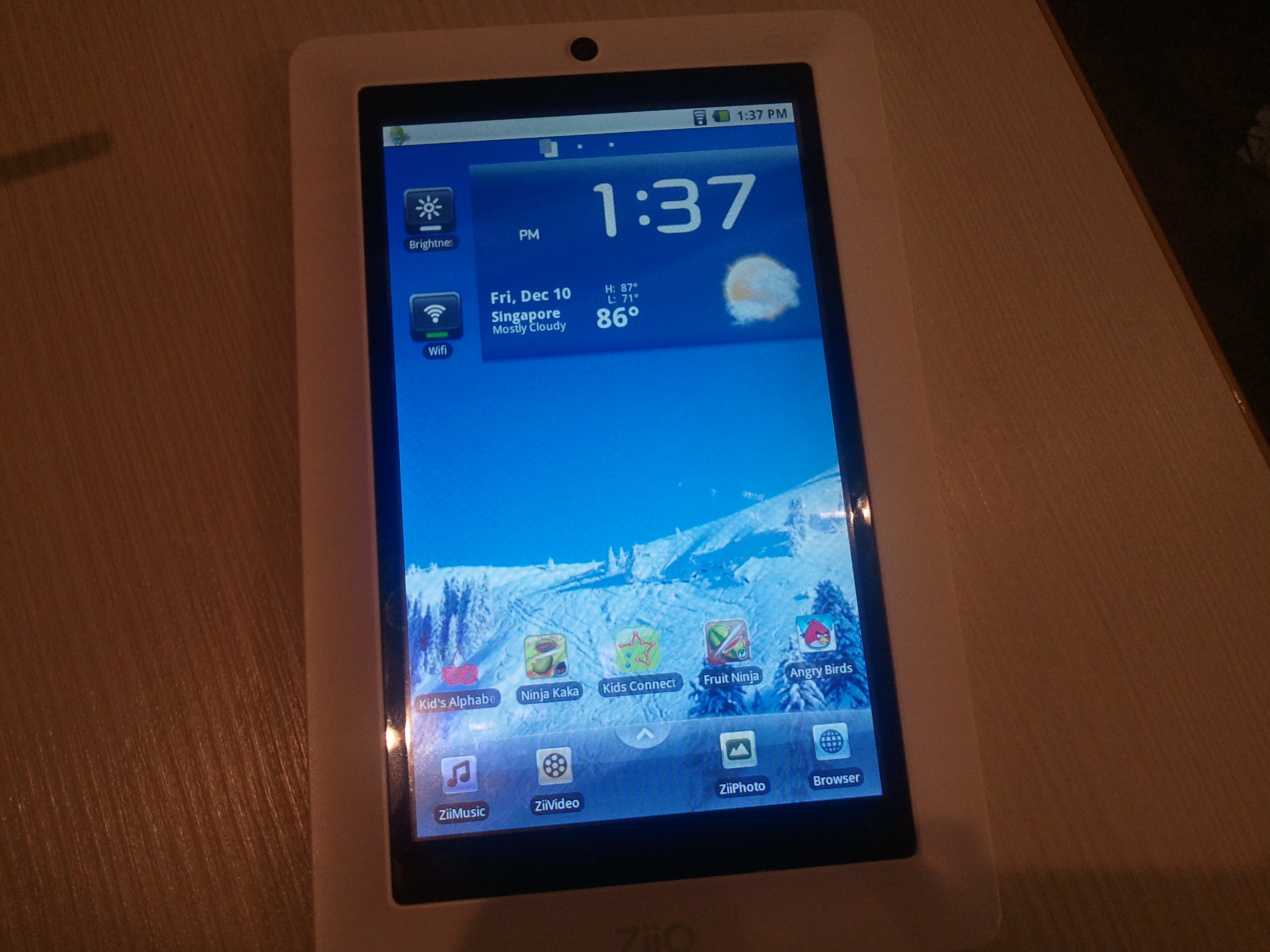
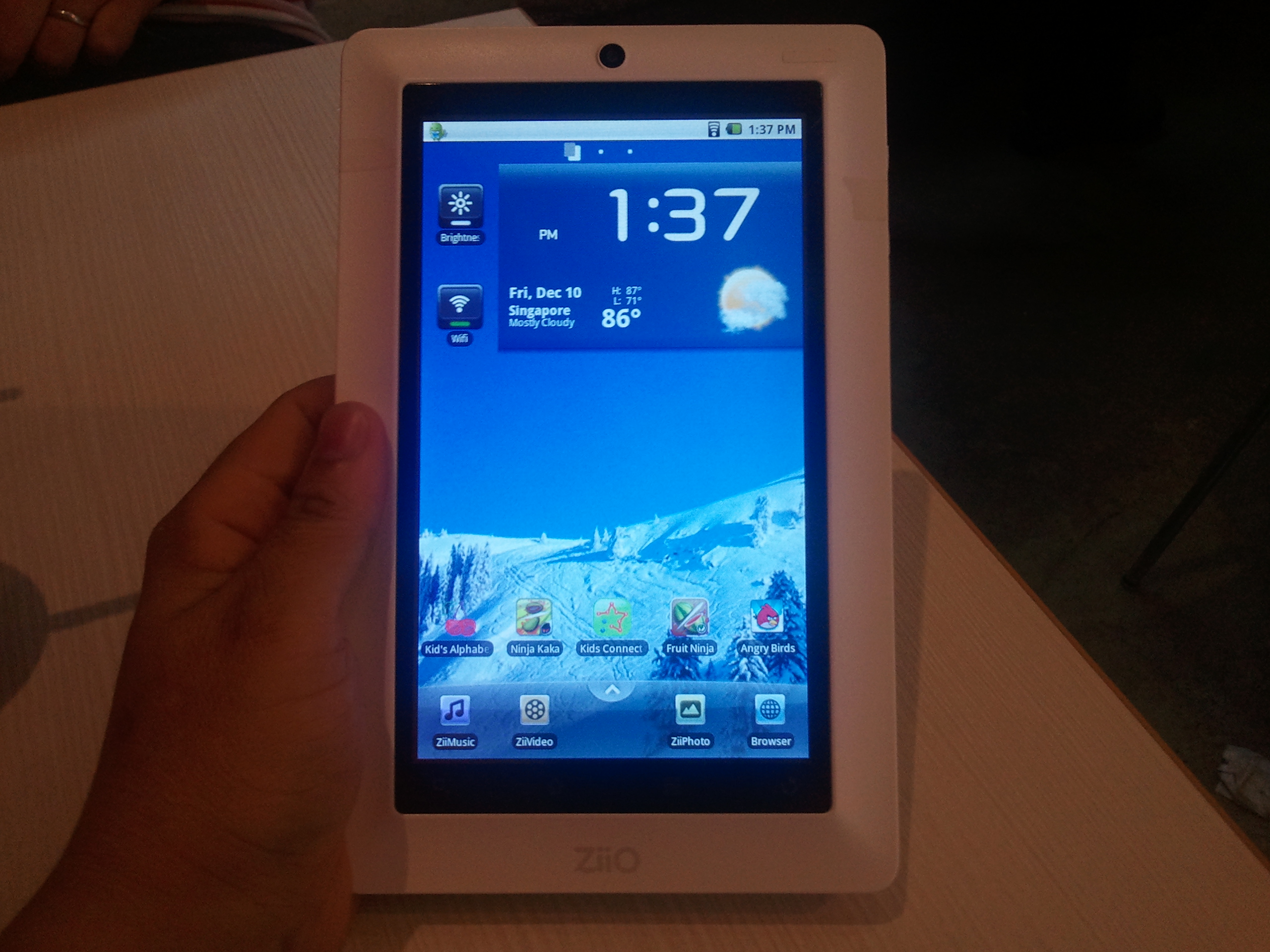
Earlier this week, I was privileged to have my hands on Creative ZiiO 7″ tablet, even though it was just a development unit. Given that (that it was just a development unit), the exterior finishing was not expected to be polished. The tablet was however loaded with the latest firmware that would supposedly shipped for production, so the hands on experience will still be close to that of a retail unit.
For a tablet, what draws to one’s attention is usually its form factor and its screen display. Admittedly, the first impression was a mixed feeling. The size of the tablet, defined by a 7″ wide screen, coupled with its all-white outfit, would definitely catch an enthusiast’s attention. This is especially so for somone like me who had already experienced a 6″ Kindle and a 10″ iPad, the two extreme end of a tablet-type devices. Of course, Kindle belongs to a different league altogether, given that it is a dedicated e-reading device. However, the size and weight of these devices should give a tablet-shopping buyer a good reference of what he needs to look out for, for there is no one perfect tablet in the market that fits all the needs.
Holding ZiiO 7" with one hand is convenient
Once ZiiO 7″ catches your attention, the screen display might possibly drops yours. I was definitely disappointed by the screen display, especially after having used to colour vibrancy that Super AMOLED display offers, in my Galaxy S and recently Galaxy Tab. The colour is a little flat, and further impacted by the viewing angle. If there is anyway to describe the visual impact, it feels like a 3M privacy screen filter fitted on it, albeit a little exaggerated. Ziio sports a resistive screen. While it is probably one of the most sensitive resistive screen in the market today, Creative’s decision to stick with it sets me scratching my head given that capacitive screen has becoming a norm these days. But I was quickly reminded that Ziio 7″ is Creative’s entry model for their Android tablet product line, and costs just 1/3 of Samsung Galaxy Tab’s price tag. Fair enough, but unless you are a budget-conscious shopper, or one who is about to buy the China-made i-Pad lookalikes, wow will be the last thing you would say when you power on the Creative’s ZiiO.
Usability wise, Creative ZiiO is very capable, despite having to navigate over the resistive screen. The screen was responsive, so were the applications. I was told that ZiiO uses its own processor, ZiiLABS ZMS-08 HD Media-Rich Applications Processor. While I have not benchmarked its processor in the 7″, I tried on ZiiO 10″ which uses the same processor, and the result was astonishingly good, scoring a 3000 over points in CPU. To give some context, my over-clocked Galaxy S could only manage half of what ZiiO has achieved. ZiiO has a stereo speaker, but I could not make out its quality given that I was in a cafeteria at the point of testing ; Just not a conducive environment to test sound quality.
Creative Zii applications
ZiiO is still running the older Android Eclair (2.1) as we speak, even for the retail units. However, I was told that Froyo (2.2) should be released for upgrade very soon. As I unlocked ZiiO 7″ tablet, I was greeted by Creative’s own simplified lock screen and home launcher. Neat, I told myself. At least the company is going to the right direction in developing its own DNA. On the application front, Creative have a few customised applications, ZiiMusic, ZiiVideo and ZiiPhoto. Given Creative’s specialty, I have no complaints with their multimedia playback software, although ZiiMusic did hang on me once before I had to reboot the tablet to solve it.
ZiiO's Kindle
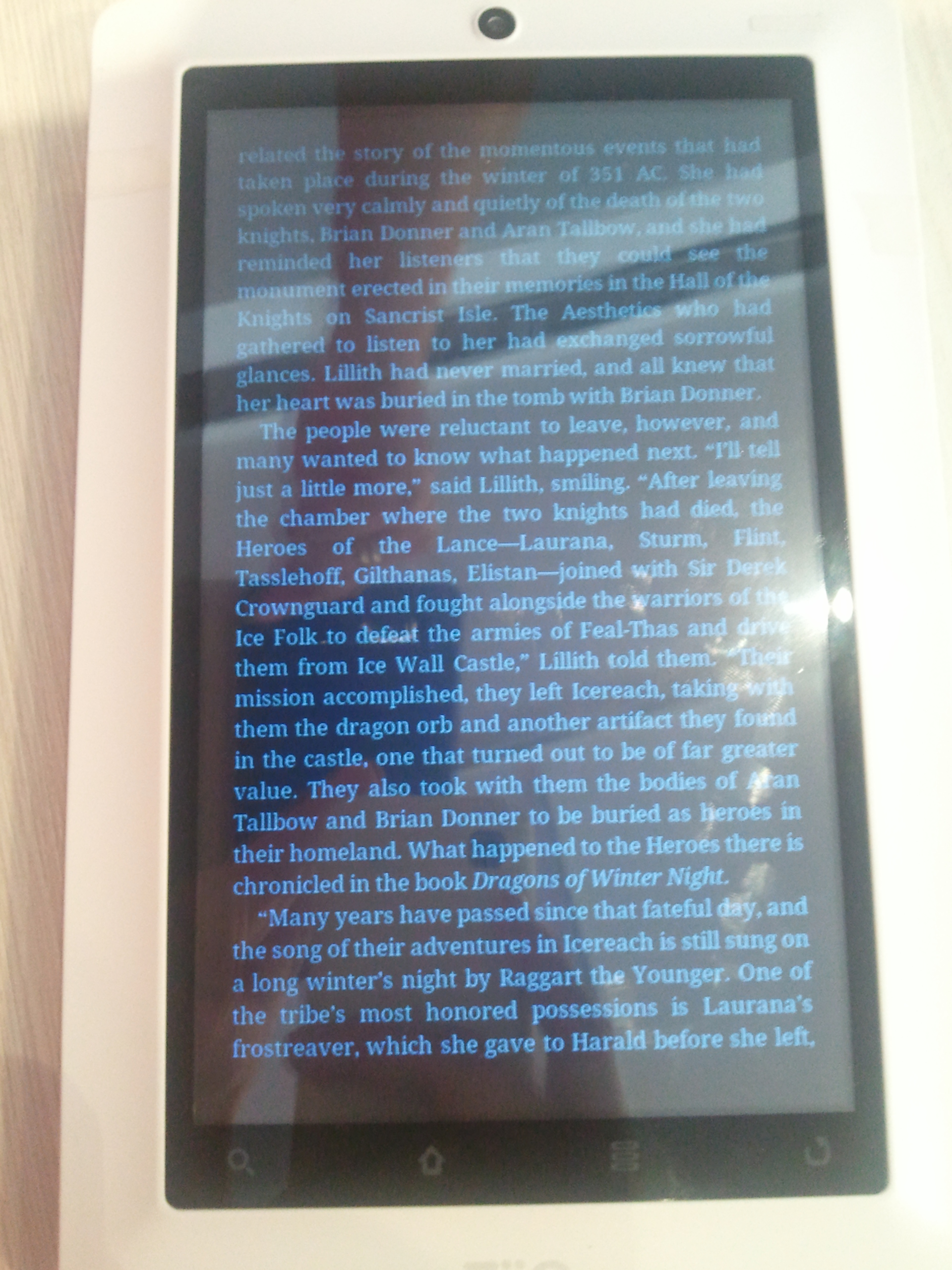
Having used Kindle for a while, I naturally tend to compare ZiiO with the former, as an e-reader. ZiiO, with its weight almost twice that of the Kindle 3 (400g vs 241g), definitely feels heavy if one were to read over a prolong period of time. For a quick read, I would think it is definitely capable. What I was impressed is ZiiO’s night mode feature, which not only dim the backlit display, but also also toggle the display foreground and background color, so that the screen would not be too glaring. Although it can’t beat e-ink technology, the night mode feature is the most welcome feature, if you always like to read at night.
In a nut shell, for $359 SGD, I think it gives the China-made A-Pad a run for their money (go support Singapore products!). Looking from another perspective, if you are planning to spend $200-300 for a digital photo frame, grab this Creative ZiiO for its value for money, since it could do what a digital photo frame does, and more. But when pitted side by side with the bigger brothers, I could sense that Creative ZiiO 7″ is shouting out for his super-brother (not ZiiO 10″! fwiw) for reinforcement. I heard it will be coming …
Snap shot video of the hands-on (in a noisy cafeteria)
Apart from the incidental choice of word “Cooking” to describe Windows Mobile ROM development process, I found out that recently there is really a great similarity between software programming and cooking.
With cooking, you master the science of key culinary skills, and then with some creativity, you venture into dishing out different cuisine. I am not a food connoisseur, so you don’t expect me to go into details on this, but you should get the point.
Now, turning over to software programming (oh my, I suddenly feel so at ease), there is alot of similarities. You need to master the fundamental programming techniques, and you exposed into different type of programming; UI programming, Web programming, Data integration programming, Kernel programming .
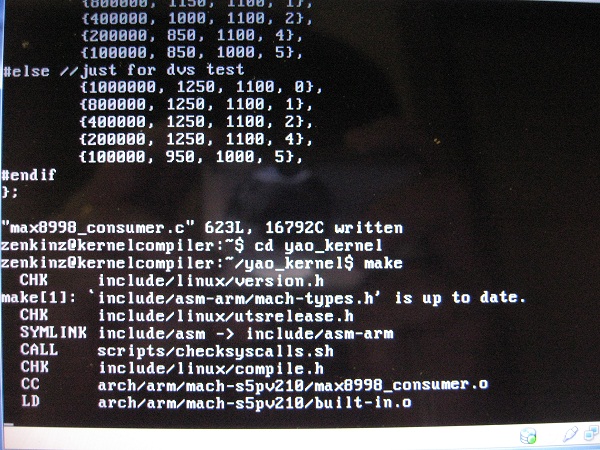
And yes, recently I had ventured into kernel programming, something I have never imagined in the past. The reality though is that I was just meddling around with the Linux kernel source, thanks to Opensource.
So I looked at the various kernel source codes published by various xda-developers, each of which addresses different aspect of kernel improvements. I decided to make a kernel that takes the best of all. The end product is one kernel that incorporates sztupy‘s Universal Lagfix, supercurio‘s Voodoo display tweak (Gamma and Sharpness enhancement), raspdeep‘s overclock and undervolt, and hardcore/ykk_five 341MB memory hack.
Universal Lagfix addresses the poor performance inherent in Samsung’s original RFS-based storage. The fix is about reformatting specific data partitions into Linux ext4 format, and by doing that, you can expect 200-300% of improvement. The applications no longer run with intermittent freezes (caused by the lag in the file system access), and responses are therefore almost instantaneously.
So one would think, with a 200-300% improvement in performance, what is there to optimise further?
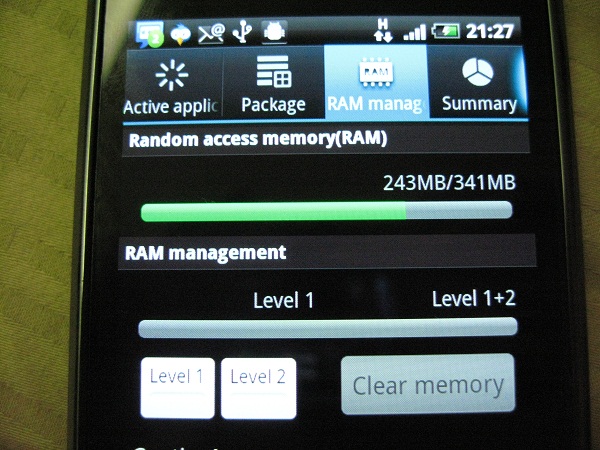
Now Samsung Galaxy S comes with 512MB of RAM, as you would expect from a top tier smart phones in the market. The problem with Galaxy S, is that the amount of RAM available for end user, is only 304MB. There are more than 200MB of RAM reserved for the system, such as video, android OS, etc. It didn’t help when Android has a bad habit of loading installed applications and widgets on start up, which means by the time your phone boots up successfully, you would be lucky to have 80MB RAM free for use. Now in Froyo, the memory management is far more robust than Eclair, but still, with a limited amount of free memory, you end up having frequent memory clean up performed by the OS, resulting in unnecessary instability in the system. Both ykk_five and hardcore researched and figured out the kernel configuration for reserved memory. With some trial and error (as eliminating memory reservation causes problem with certain applications such as video recording or 3G video call), the folks in xda-developers established the optimal memory configuration. The result is 341MB of available memory (as compared to 304MB). That ensures some stability much needed in the Samsung Galaxy S.
And you would think by now; Samsung must have done something wrong if any more tweaks can be uncovered. You bet! The question now is how much have we optimised the Cortex A8 processor, i.e. the brain of Galaxy S. When looking at the kernel source code, folks have figured out that there are compiler flags we could use to compile the kernel to take advantage of the A8 Cortex CPU architecture. Not only that, the team has figured that the CPU can be over-clocked, just like how the PC geeks would have done to their desktop processors. Additionally, the CPU is currently running at a voltage level that can be further tweaked, i.e. reducing the voltage consumption value for each CPU frequency step. The end result, is a turbo-charged but super “air-cooled” (and efficient) Galaxy-S. Unfortunately, there is no real tool out there to measure CPU voltage consumption scientifically, so one can only rely on feel (e.g. lower temperature) and experience (battery consumption level). That said, the under-volt tweak is still being refined as we speak, just to determine the optimal level of voltage that is low enough but not at the expense of CPU running reliably at the desired frequency.
The final installment of the tweak is display. supercurio had definitely done far more research than anybody in xda-developers, and probably even in Samsung development team, to improve on the display gamma and sharpness. More explanation can be found in his web-site, so I wouldn’t regurgitate what has already been documented.
And of course, there are some minor tweaks I did along the way, as I touched the source code for the above tweaks. However, these are experimental at this point, it’s probably not smart for me to disclose until I can conclusively determine the value of such tweaks.
Did I mention the code name of the kernel I have customised? Yet Another Optimised Kernel (YA OK!) … So go flash this kernel if you happen to own a Galaxy S (sorry only for Europe and Asia Galaxy S owners) and want to turbo charge your phone. You will be surprise how buttery smooth your phone is, and it is definitely much faster than the Voodoo’ed Galaxy S I had awhile back.
Here’s a quick video capture of my Galaxy S running on YA OK Kernel. Enjoy.
In the techie world, the ‘brick’ is usually associated to the state of your phone, where no matter what magic you try to apply, your phone cannot be powered on at all. It is therefore no better than a high tech paper weight, or a brick if your phone happens to be one heavy phone.
Well, I thought my recently acquired Galaxy S was bricked yesterday. It’s almost unthinkable that a surreal phone sitting in front of me was staring at me like a brick. I had previously flash a corrupted kernel or interrupted the flash process, in all cases, the phone will just show a broken flash icon when I tried to power up the phone. The phone was recoverable in every incident, since I could bring the phone back to the “download mode” (i.e. bootloader mode), which allows me to re-initiate a firmware flash.
But not yesterday. I updated one part of the firmware, the flash process was successfully executed as indicated by the Odin flash application, and the phone was expectedly rebooted. But lo and behold, the phone did not wake up at all after the reboot. It stayed powered down, no display, no sound, no sign of phone trying to “breath”. Not even an icon on the screen that says corrupted firmware. The phone did not even react when I attempted to put it back to the “download mode”.
Thinking that the phone has just coincidentally run out of battery, I decided to put the phone on charge but but it was still no go after few minutes. As I tried to recap what I have done, I realised that I had done something a noob would not have done. I had ticked on “re-partition” option prior to the flash process in Odin. Coupled with the fact that I was flashing the CSC image (one part of firmware that provides operator specific configuration and/or software). Consequently, the phone had its entire system storage re-partitioned and end up with just that CSC code, without the remaining code, not even the kernel.
It was 1.30am at that particular moment, I reckon my sleepy head must be the reason behind this stupid action of mine. What I couldn’t comprehend, is how can this screw up impact the bootloader, which is responsible for controlling the phone action during the boot up. One thing certain though is that I had completely woken up as a result.
For a good 15 minutes, I have been thinking all possible remedies, including removing the battery (albeit doing it very quicky) and putting it back to restart the phone.
I was almost resigned to the fact that my phone has become a $950 paper weight. But being a stubborn person (or one who perseveres, depending on how you look at it), I did not like the idea of throwing in the towel. I remembered how my father would spend the entire night till morning, just to fix some simple computer glitches when I was a young boy. I think I might be like him for that night.
Then I was enlightened. I observed that in those attempts when I was trying to put the phone into the “download-mode”, the phone might already be in panic-boot mode. While I had removed the battery and put it back to restart the phone, it was done so quickly that the state of the memory may not have totally erased.
So there I went, took out the battery, left the phone for a minute, put back the battery, and powered on the phone into “download mode” right away. Lo and behold again, phone is alive again! I almost yelled with joy .
And the moral of the story?
Never do any “not for weak heart” tasks, and firmware flashing for that matter, in the wee hours of the day. You would end up staying wide awake for the whole night, regardless of whether the end result is positive or not.
On a lighter note, it appears that it’s impossible for Galaxy S to end up as brick. Not unless you literally make it to be so.
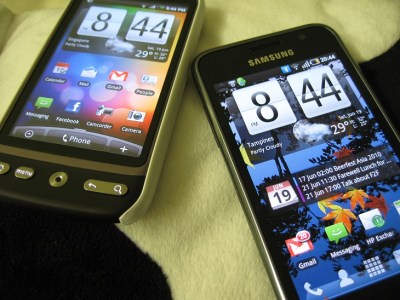
I have been asked a number of times which phone is better, Samsung Galaxy S, or HTC Desire, both of which I had done some review on in the previous blog posts.
Here’s my thought.
At the end of the day, the choice is very personal, there’s no good or bad device, it’s more like if its right choice for you, based on your requirements.
For me, Samsung triumphs in the hardware department (except for maybe the lack of camera flash), whereas Desire wins hand down in the software aspect.
For me, you can address software gap with workaround (sometimes better, sometimes not as good, but its a good workaround), but you can’t say the same for hardware.
For e.g. I was blown away by Samsung camera capability, whereas HTC Sense mesmerized me without a shadow of doubt. I can emulate HTC sense in Samsung Galaxy S via Launcherpro (much better than Sense imho!) and widgets like fancy widget (not as functionally complete but its a good bridge), but I can’t emulate the video taking capability *anywhere near* Samsung Galaxy S in HTC Desire.
Having tasted my first real Android experience in the mold of HTC Desire, I had another opportunity to lay my hands on Samsung’s new Android flagship product, Galaxy S. I am not sure what does the “S” means, but one cannot be faulted for assuming it is Galaxy “Supreme”, based on its technical specification, and my initial impression of the phone.
In my short 20 minutes hands on, I was deeply impressed by its form factor and its captivating Super Active-Matrix Organic Light Emitting Diode (Super AMOLED) screen. First of all, it’s thin with a 4″ wide screen, a size that I feel more comfortable after having used to HTC HD and HTC HD2, which have screen size of 3.8″ and 4.3″ respectively. I just find the 3.7″ screen in the HTC Desire, a tad too small for me. The Galaxy S has just the right size, and to top it all, it is only 9.9mm slim and weighs only 118g. My only gripe is its piano-finishing battery cover, which is going to be a fingerprint magnet. The fact that the battery cover is made of polyurethanes material, doesn’t make it any more “cheap plasticky”, as I thought the overall build quality is solid.
Now the screen; it looks stunning to the naked eyes, but once I put it side by side against HTC Desire, with the brightness level maximised for both devices, I find the difference is marginal, if any. I suspect the main reason behind this nano difference, is Samsung’s decision to maintain similiar brightness level, so as to maximize the power consumption efficiency. Afterall, a Super AMOLED screen is statistically capable of achieving 20% better brightness at 20% lesser power consumption level, in comparison to a AMOLED screen. So if Galaxy S is designed and manufactured at the same brightness specification as the AMOLED screen, then mathematically one can achieve 33% reduction in the power consumption. Not bad! (Note: I did observed that the power consumption in Galaxy S much better than that in Desire. It’s not scientifically proven though that it is due to the above mentioned theory, but if anybody can confirm that, please let me know)
In the end, the brief experience was enough to lure me into the Samsung Galaxy S camp. So I got a set a few days later, and begin my Android journey, ehm, officially. Afterall, the HTC Desire is technically a “T-loan” unit from yeez, and my other Android experience was really Android Cupcake half baked into my old HTC HD.
Having used the phone for the last few days, my conclusion of Galaxy S and Desire comparison is basically hardware versus software. It is without a shadow of doubt that Galaxy S just shines in almost every aspect of hardware departments, except maybe the flash-less camera (and if I want to be nitpick, lack of LED notification light). I can however forgive the lack of flash, for its superb video taking capability. On paper, it can take 720p video at 30 frame per seconds, but what counts at the end of the day is the actual quality of the video captured in reality. And I have to say it is almighty impressive, as it could take a good video without any ghosting effect. Probably the best video capture capability I have come across for a smart phone.
Now, when it comes to software arena, HTC Desire is the clear winner by a mile. HTC sense and its home screen widgets, spice up the otherwise default boring android home screen. One can draw the similarity from the Windows Mobile devices; that without the Windows Mobile version of HTC sense, it is ladened by a functional but very dated Today screen. HTC has established itself as a smartphone leader, not because of its superior hardware specification, but its ability to mate the hardware and software (regardless of Android or Windows Mobile platform) to address the different needs of various mobile market segments. Samsung, on the other hand, has tried too hard to emulate iPhone, loosing it s own DNA. Its TouchWiz user interface and the bubble style conversation for text messagin, are just some examples of that. Thankfully, there are applications like LauncherPro, which can reinstate the iPhone wannabe back to the real android Galaxy S where it should be.






 zen online journal