Android on Touch HD

tuxhero from xda-developers had defied all odds and skepticism, and release the first alpha version of Android for HTC Touch HD, which we all know is a Windows Mobile phone. The release allows one to load Android into Touch HD from Windows Mobile environment, as you can see in the video below. As with any alpha release, this is not meant for production usage (i.e. day to day use), but it certainly marks an important milestone for HD users who are looking to juice up their gadgets with Google Android OS.

Touch HD Starting Up

Android on Touch HD  Part I – Text messaging, Google App, Web browsing, etc

Android on Touch HD Part II – Google mail, MP3 playback, Settings

Back your favorite people up!

Last Sunday, I told myself that I would spent 10 minutes to do something productive. I did, and ended doing more.

“Back FavPeople Up!” is the latest software I have created for Windows Mobile devices that sport HTC’s touchflo 3d user interface. Basically it is a backup utility tool to manage the  favorite contacts found in the touchflo’s “People” tab. The challenge here is not so much about building the application itself (as I have found out building using managed code speed up the development cycle tremendously). It is really the effort to find out how and where HTC embeds its favorite contact information. After scanning through the entire windows registry and hundreds of manila files (HTC’s custom xml files), I figured out that it must be in the PIM database, where all the contacts, appointments, etc are stored.

The hack requires some understanding of the POOM (Pocket Outlook Object Model), and contact is one of the objects in the model. After some trial and error, I finally found out that the information are saved under the property set in the contact object

For download of the utility, you can go to xda-develoeprs to download

Rotate Screen Utility Updated

It is a lazy Sunday today, and I feel that I should at least spend 10 minutes doing something productive.

Few days ago, a fellow forumer in Xda-developers had requested for a feature in my Rotate Screen utility, which was created some 8 months ago while I was developing the navigation panel for Xperia. So I decided that I should just add that in today.

RotateScreen

Rotate Screen essentially is a small footprint utility that enables you to rotate your Windows Mobile screen. It supports rotation via user interface or command line. Using command line method, you can rotate your screen via toggle mode (toggle between two orientation modes), set mode (set your screen to a specific orientation mode) or cycle mode (rotate your screen to the next available orientation mode, from 0 to 270 degree)

More information can be found in this XDA-developers thread

Kops in Singapore

Last Sunday was a Kop day for us. While to some people, it may be just a friendly match between Liverpool and Singapore, to us Reds fanatic fans, it’s a great opportunity to get immersed in the ‘simulated’ Anfield atmostphere.

Thanks to a colleague of mine, we managed to get tickets at the Kop stand, essentially the East stand of National Stadium, specially allocated for Reds fans. Yeez, myself and Kan & Ray together with their parents, were all there ready by 5pm to cheer our favorite players, even though the match was supposed to start only at 7pm.

Continue reading

My Linux box almost one decade and a half later

I remembered when I was at college about 15 years ago, I had a taste of installing a Linux operating system in my trusty 386 PC,  I think with just about 4MB RAM?  I recalled the exhilarated feeling when I first saw the geeky administrator login prompt.

  Continue reading

Cover the Squeak up

Ever since I got Touch HD, I have a few griefs.

Modified Squeak-less Battery Cover

Modified "Squeak-less" Battery Cover

One of them is performance. After flashing my HD with Dutty’s V3.9 XT Turbo ROM, I felt as if I have gotten a new toy. But the moment I hold up the phone, the squeak on the battery cover put a big dent on the otherwise wonderful HD experience. As I depress on either side of the battery cover, the squeaks just remind me on the squeak and rattles I experienced in my old Volkswagen Bora.

I decided that I have  to do something about it (and give me one less excuse to change my phone!)

Upon inspecting the area where the squeak happens, I identified spots where the plastic on the battery cover is pressing against the phone housing.

All it took for me is a pair of scissor, masking tape, and a small screw driver (or any tool such as tweezers that can be used to position and press the tape on the squeaking area, or just your fingers if you do not have fat thumbs like I do). Stick the tape at the offending area, and you are done literally within a minute!

DIY Tools to mask the squeak

The left hand side of the battery cover

The left hand side of the battery cover

Right hand side of the battery cover; NB: The area above the tape needs to be masked as well

Right hand side of the battery cover; NB: The area above the tape needs to be masked as well

Finally, my HD feels like a gadget with a solid built quality. Maybe it was, but the squeay cover certainly suggests otherwise.

So it looks like I have to wait longer (for an excuse) to ditch my HD. Maybe a HTC Hero might be the one.

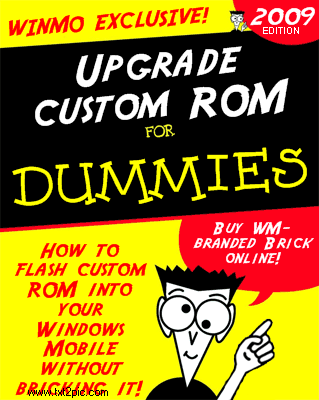
Custom ROM Upgrade for Dummies

DummiesIn my previous blog entry, I talked about why HTC Touch HD needs to have custom ROM flashed to maximise its full potential.

Unfortunately, the procedure to flash a custom ROM can be a nervy experience, even for an IT-trained individual. While  the actual flashing process will take no more than 10 minutes, one might get lost just by reading through the documentation of the procedure.

So here’s an attempt to do a video blog of the flashing process, to compliment  the detailed documentation created by the developers in xda-developers forum. In this video blog, I’ll be flashing custom ROM using USPL, instead of Hard-SPL method. Read here to know more about USPL versus Hard-SPL. For me, USPL is the least intrusive method, and I can flash stock ROM to my device anytime straight away without any additional procedure.

Continue reading

Turbo charged iPhone?

3gs_newset_eng01
It always amazed me whenever Apple releases its new products, the technologies it delivered is deemed refreshing, nevermind the industry is already on it for months, if not years.

I recalled reading Steve Job’s argument on why 3G is not bundled in its 2G iPhone product; He said that 3G consumes more battery juice than its predecessor. Yes it does and so does WIFI which can be found in its first generation of iPhone.

Fast forwarding to now, the new iPhone 3G S is touted as a turbo charged iphone 3G with its HSDPA technology. Again it’s a technology found in my Dopod c730 two years ago. Anybody who wants to argue that Apple always does thing better than its competitors should really question how better is it for this context? That we are able to have 3.5G broadband at fraction of power consumption? I don’t think so.

Then BGR has reported undesirable high pitch noise when iPhone 3G S plays some sound files. One site blamed it on the bluetooth headset, and claimed that he had no problem with another. Surely we can infer a more objective conclusion from all these can we?

Posted from my Touch-HD

A touch of Holy Device

I got to admit, the lure of new toy is always so tempting. My Sony Ericsson X1 served me well for the last 8 months, and in fact is the longest holding mobile device I ever have for the last few years. In the current economy climate, it just does not make sense for me to switch to a new toy. Plus, if my verdict on X1 ever suggests, if there’s nothing better than, eh-hm, what else could have turned my head?

touch-hd on the box

Touch HD is a device perfect for watching TV online

So  4 weeks ago when I sent in my X1 to the service center to have the keyboard and some parts repaired,  never would I had expected that would be my last Xperia experience.  It has to do with the infamous crack plastic housing that I requested to be replaced, but I shall not digress further. Fast forward to now,  I ended up selling my X1 back to the service center, and gotten a black stone, a code name for HTC Touch HD.

Continue reading