A couple of years ago, when SonyEricsson decided to re-invent their new flagship mobile product in Xperia X1, I bought their vision, literally. The phone, despite running on Windows Mobile platform, wowed me with their sleek design and their UI panel concept. Hey, I even contributed to their vision by developing a navigation panel. The quality of the phone was far from perfect, and I promptly returned the phone back to the service centre when they offered a buy-back proposal to appease my dissatisfaction. That was my last impression of a Xperia product. Continue reading →
Recently, I have been meddling with Android theme resources to modify the theme for my Android-based Galaxy Tab. It was yet another great learning process, which involves manipulating the graphic resources, replacing the de-compiled XMLs that control the layouts and styling of the interface, etc. Just as I thought I had enough of them, I fumbled on a theming problem which seemed so impossible to fix. I pinpointed the offending code, created the right “answer” to the problem, but it just didn’t work!
Almost giving up, I decided to trace the source code of the module. It turns out that the code explicitly sets the color of the text (the theming “bug”), and thus all the layout and style modification attempts would not have any effect at all.
Instead of going back to source codes for changes, I contemplated reverse-engineering. Thankfully with the help of smali, an assembler/disassembler tool for Android apk, I could correct the problem on the executable directly. Addictive Tips gave a good overview of an Android application in ODEX and DEODEX format,
WHAT IS AN ODEX FILE?
In Android file system, applications come in packages with the extension .apk. These application packages, or APKs contain certain .odex files whose supposed function is to save space. These ‘odex’ files are actually collections of parts of an application that are optimized before booting. Doing so speeds up the boot process, as it preloads part of an application. On the other hand, it also makes hacking those applications difficult because a part of the coding has already been extracted to another location before execution.
THEN COMES DEODEX
Deodexing is basically repackaging of these APKs in a certain way, such that they are reassembled intoclasses.dex files. By doing that, all pieces of an application package are put together back in one place, thus eliminating the worry of a modified APK conflicting with some separate odexed parts.
In summary, Deodexed ROMs (or APKs) have all their application packages put back together in one place, allowing for easy modification such as theming. Since no pieces of code are coming from any external location, custom ROMs or APKs are always deodexed to ensure integrity.
So before I could attempt the “hack”, the application must be DEODEX’ed, so that we have the complete executable for disassembly. The executable in Android system is in .dex format, or Dalvik Executable, and is stored as classes.dex within the Android Package (.apk) along with other application resources (graphic resources, layout binaries, etc). I extracted out the classes.dex, and do a disassembly.
java -jar baksmali.jar -o out classes.dex
This will disassemble the executable classes.dex into assembly codes in the folder named out. This step can be skipped if you have previously used APK Tool to decompile Android package to access to the XML codes. The latter however would not assemble the assembly codes when you compile using the tool, so the subsequent steps would still be required if you have made changes to the assembly code.
In my case, the offending code is ManageApplications$ApplicationsAdapter, and the section of the code matches the
I simply commented off the third line in the above section of the code, which effectively eliminates the set color instruction. I proceeded to re-assemble the codes,
java -jar smali.jar -o classes.dex out
The output of the assembler is a modified classes.dex, which I then re-package it to the original APK (Settings.apk).
As mentioned in my previous blog post, I have been experimenting on the Android UI theme work in the last 2 weeks. Last weekend I thought I made the most progress in terms of establishing a deeper understanding of the Android UI framework, and in the process overcame one of the theming roadblock that I have not been able to google a satisfactory answer for.
I have compiled the summary of my theming experiment, and updated that in the previous blog post. In that update, not only I have summarised the key steps to de-compile and re-compile the UI framework, I have also outlined the key components of the de-compiled source where the changes being made and the general effect the change achieved consequently. I could have missed a couple of components, as I did the summary based on my memory re-collection, and as you know, my memory has appeared to be falling lately.
I hope this helps anybody who is interested to theme an Android phone. Feel free to drop your questions or comments if you need help, clarification or correction to what have been shared. I will try my best to answer in the limited capacity I have.
A while back I ventured into kernel programming when I tried to meddle with the kernel for my Samsung Galaxy S. (although in reality, it’s more of modifying the kernel) I thought I would have stopped my venturing but I guess (geek) habit dies hard. Having spent some time recently to modify the otherwise boring UI of my Galaxy Tablet, I had thought about doing a write up, on how Android manages its UI resources, i.e. framework-res.apk.
However, time is not at my end, as recent office workload shifts have basically stolen all my time from my hobby. So I am just going to share what I have created (only applicable for Samsung Galaxy Tablet), and if there is anybody who want to know I do it, I can always try to capture bits by bits of what I have learnt and share whatever I know.
It took me awhile to figure out the intricacies of the framework-res, so I hope you will appreciate/like the latest work!
The mod can be downloaded from this xda thread. The remaining of this article will be updated as and when I have the time, and questions I get about the resource framework.
Steps to modify Framework-res.apk
Decompile the Framework using APKTool.JAR. The command to execute a decompilation is java -jar apktool.jar d framework-res.apk <directory-where-decompiled-resources-reside>
Modify the XML resources and/or replace the PNG resource files as you wish
Compile the Framework using APKTool.JAR again. The command to java -jar apktool.jar b <directory-where-decompiled-resources-reside>
Once the resource is compiled, the newly compiled APK can be found in the dist folder of the framework-res
Before replacing the framework-res.apk in your android device with the newly compiled apk, you need to make sure the newly compiled apk has the META-INF folder and that the AndroidManifest.xml is replaced with the original version. Failure to do so will result in “bootloop”!
For other system apps APK (e.g. Settings.apk), the steps are similiar (i.e. step 1 to 4), except that you do the reverse in step 5. Instead of copying META-INF folder to your newly compiled APK, copy the res folder and file resource.arsc from the newly compiled APK to the source or original APK. Make sure you copy w/o compressing the files/folder (i.e. using store mode if you are using WinRAR)
Structure of Res folder in Framework-res.apk
Drawable – controls how the graphics should be rendered under event such as an animation
progress_horizontal.xml – Modify all the color elements to reflect the progress bar
stat_sys_battery – Modify the elements to reflect the battery level
stat_sys_battery – Modify the elements to reflect the animation of the battery
Drawable-hdpi – Replace the PNGs accordingly for the desirable theme look and feel
btn_check_* – for all check buttons design
btn_* – for all other type of buttons design
ic_* – for all icons used in system wide UI such as menu, etc.
menu_* – for the theme design of the menu
progressbar_* – to show the indeterminate state of the progress (e.g. in Market, trying to estimate the download size)
spinner_* – for the animation of the wait cursor
stat_sys_battery* – for the animation and status of battery level
stat_sys_* – for icons used in status bar to show status of system services such as signal, wifi, etc
stat_* – for all the other icons used in the status bar
statusbar_background.9 – for the background theme of the status bar (it’s a .9 png, which means you need to have 1 px border around the original design)
status_* – for the interface of the notification window (drop down from the status bar)
zzzz_quickpanel_brightness* – for the design of the brightness setting in the quick panel
zzzz_quickpanel_icon* – for the design of the icons on the quick panel shortcuts.
Layout – Controls the layout of the UI controls used in Android system wide.
preference.xml – Modify the text color of the TextView control, particularly to address the theming needs of the Account Sync screen in “Account & Sync” Settings
zzzz_quickpanel_brightness_settings.xml – Modify the text color of the CheckBox control
Values – Configures theme setting such as Colors, Styles, etc
Styles.xml – Modify the styles to reflect the black theme
Theme – “inverse” the color of text
Theme.Icon – change the color of the divider (set to dark for dark background)
Widget.IconMenu – change the color of the text
Widget.TextView.ListSeparator – change the color of the text and background in the separator
Theme.ExpandedMenu – change the color of the menu in “More”
textColorTertiary – inverse the color
Structure of Res folder in Settings.apk
Drawable-hdpi – Replace the PNGs accordingly for the desirable theme look and feel
ic_settings* – Replace the icons in the setting window according to the desire theme look and feel.
ic_wifi* – Replace the icons in the wifi setting window according to the desired theme look and feel
Layout – Controls the layout of the UI controls used in Android system wide.
preference_dialog_brightness.xml – change the color of the text in the dialog box (for brightness, contrast and color density setting dialog box)
Values – Configures theme setting such as Colors, Styles, etc
style.xml – Modify the whitestyle to use normal or Black theme.
Structure of Res folder in Phone.apk
Values – Configures theme setting such as Colors, Styles, etc
style.xml – Modify the whitestyle to use normal or Black theme.
Structure of Res folder in AccountAndSyncSettings.apk
Drawable-hdpi – Replace the PNGs accordingly for the desirable theme look and feel
ic_list* – Replace the icons in the setting window according to the desire theme look and feel.
Layout – Controls the layout of the UI controls used in Android system wide.
title.xml – change the text color of the Account type and title in “Account Sync Screen”
account_sync_screen.xml – change the background of the ListView control (background + colorhintcache)
Values – Configures theme setting such as Colors, Styles, etc
style.xml – Modify the whitestyle to use normal or Black theme.
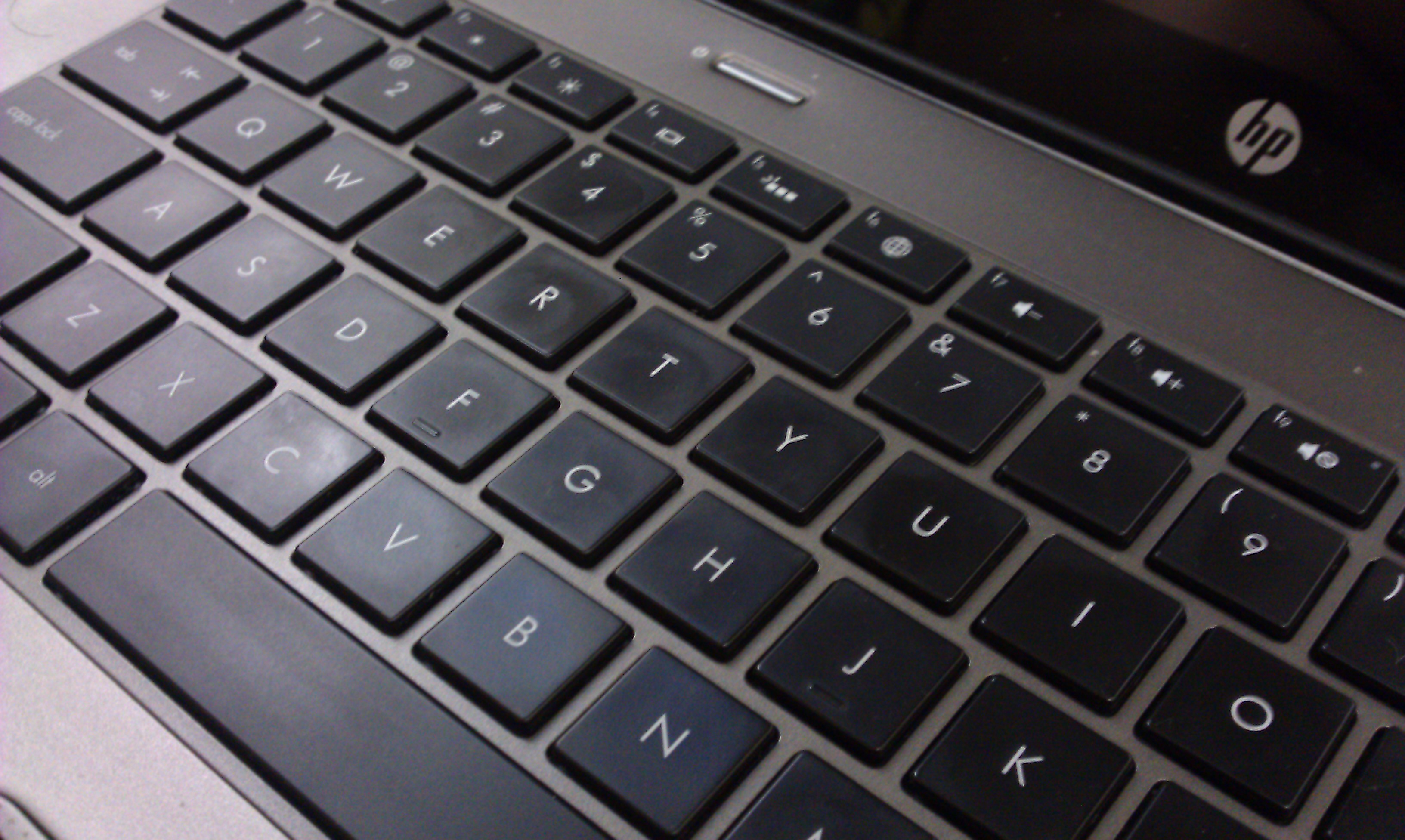
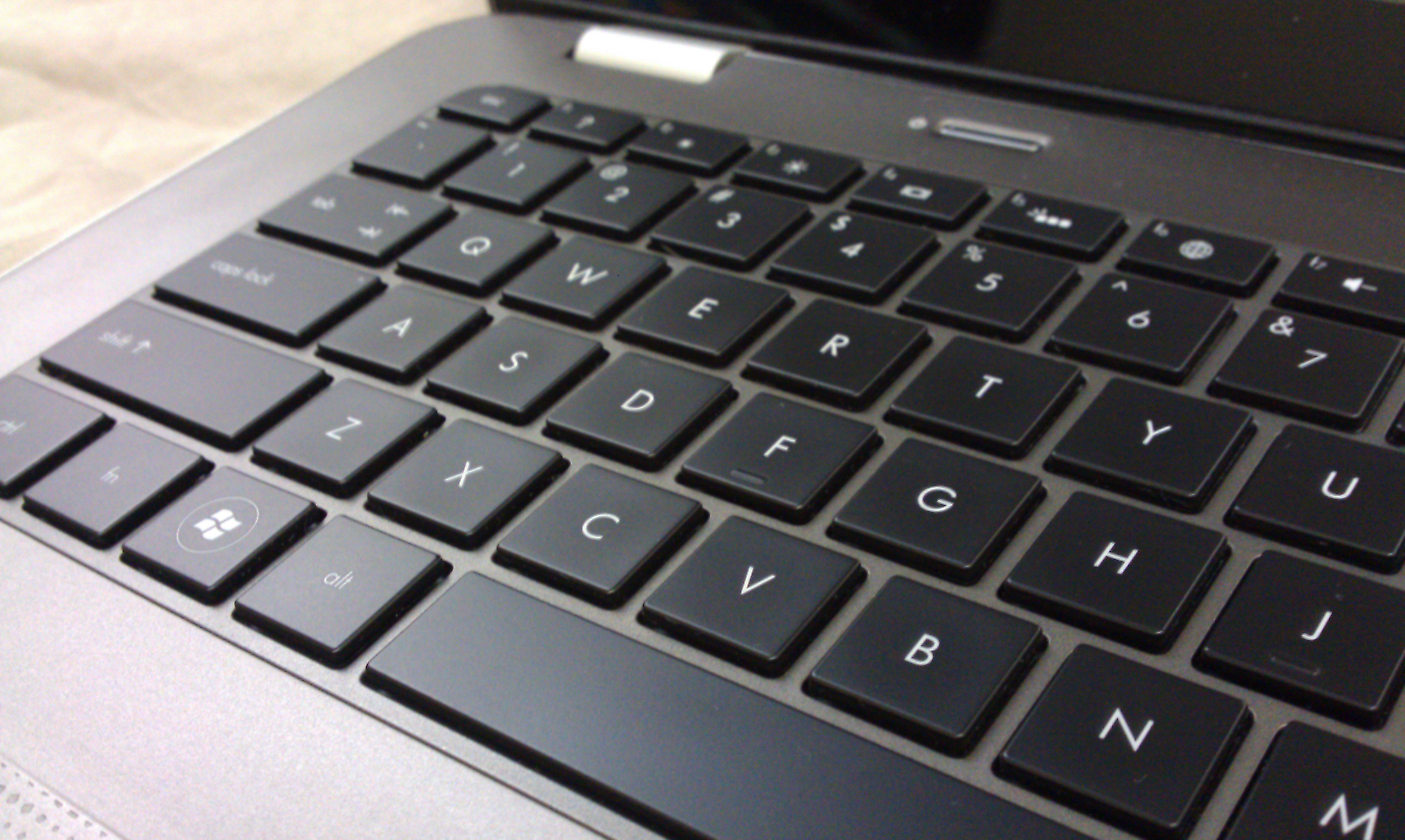
If you are reading this blog, chances are you have the same pet peeve as I have. A greasy keyboard. Despite restraining myself from using my laptop whenever I snack, I still end up finding my keyboard buttons with grease stains.
On my new HP Envy 14, the grease made the sexy looking gadget a major turn off. I googled the net, and found some ideas but none of them looks like a sure cure solution.
"magic eraser"
Then I recalled that my mum had given me a sponge-like cleaning material. On paper, it claims to be able to clean any stubborn stains on ceramic tile, or any metal and plastic materials.
I cut out a small piece, moist the “eraser” as instructed, and rubbed it over the greasy spots. Slowly but clearly I see that the oily surface began to fade off!
A cleaned keyboard. Where's the stain?
So it looked like the “magic eraser” has indeed done the job that not even the MaMa Lemon dish detergent could do?
Have you tried this? If not, try it and let me know if it works for you.
It has been more than 3 months since I have gotten myself a Desire HD. Usually I would be excited with the new phone, and would blog about it like I did with my Galaxy Tab and Galaxy S. Somehow, with Desire HD, I have been dragging my feet (or rather my fingers) to blog about my thoughts of the HTC latest flagship Android gadget. It was mostly disappointments that piled up one after another, and I tell you why.
HTC Desire HD
When I first had my hands on the Desire HD, I actually thought I fell in love with it. The overall quality is just what you would have expected from HTC; The use of good quality material (over some cheap plastic material assembly), the polished user interface including the initial set up process. The phone feels heavy but it makes you think of the good solid material instead of the negative aspect of the weight. The tactile feedback on the screen gives a “tight, controlled mechanical” response you would expect from a high quality haptic technology based components. The initial take of the phone then was this should be what HTC Desire was 6 months ago. But it turned out to be more than 6 months gap.
Like all romances, love at first sight is never definitive, and with Desire HD it is a good classic example of that. The quality one can expect from HTC is not just about the positive ones. There were still alignment issues with the housing and casing covers, and the stability of the HTC applications that were bundled with the phone remained questionable, just to name a few. Before this blog entry degenerates into rants, let me just highlight three key areas that had subdued my enthusiasm about this phone.
With all the fantastic technical specifications that Desire HD is carrying, the phone fails miserably in the screen display and camera department (of course in my humble opinion). If Samsung Galaxy S had changed my perception about what a mobile phone can do as far as video recording and playback are concerned, Desire HD proved why the former is the best selling Android phone in the marketplace today. That is despite all the great things you can find about the phone itself. At a first glance, Desire HD screen display looked fabulous. The Super LCD screen appeared to have match the bar set by Samsung’s Super AMOLED screen. But when I placed my Desire HD and Galaxy S side by side, my jaws dropped and I was almost screaming, “What is so super about the SLCD!?”.
From the video below, the display on Desire HD is simply washed out. The display colors looked faded and flat, whereas in the Samsung devices they looked vibrant. Looked at the contrast and brightness! The conclusion I got? I would never want to watch any movie on my Desire HD, if I happen to spot somebody around me carrying a Samsung Galaxy S.
Moving on to the video recording capability. Despite the specification of being able to take 720p video, Desire HD was never able to match the video recording capability I had experienced in Galaxy S. The ghostly motion effect is still there, especially if the video is taken in an indoor setup (flash is a moot point because I could record a smooth video indoor with Galaxy S). If that was not bad enough, there was a severe bug in Desire HD, that resulted in video recorded with random stuttering effect. So when you are trying to take a HD video, this bug becomes a big joke. Incidentally this bug occurred only when I set the video camera mode to 720p. Essentially, the phone had problem recording at 30 frames per second in high definition. There are “dirty” workarounds, but I was never happy with this video recording function since day one.
a sample of video recording using Desire HD. Notice the freeze in 0:16 frame.
Then comes the software aspect of the phone. I remembered when I first got HTC HD2 more than a year ago, I had to endure the buggy SMS application for more than 2 months. If text messaging is an essential mobile function for you, that bug effectively rendered the phone unusable. Despite the bad experience, I remained hopeful when Desire HD was first launched in the market. HTC development team must have learnt a big lesson out from that saga and delivered a better quality product this time round.
How wrong was I again! One of the selling point of Desire HD is that it is “smarter” than before with its Htcsense.com. The latter is essentially a service based feature which enables the phone owner to locate and control the phone remotely. Theoretically one can locate the phone with the help of GPS, or initiate a ringing on the phone so you can locate its presence acoustically. One can even initiate remotely, to redirect phone calls and text messages, or wipe out data in case of emergency. Sounds great isn’t it? And of course I said that is in theory, because until last month, I could do nothing of these, even though these were advertised features. The HTC support acknowledged that the performance stricken services (or applications) in htcsense.com were buggy and the development team was working on it. Being an IT-trained professional, I can understand how software can never be perfectly free of bug. However, the line should be clear between a software in alpha stage versus one that is go-to-market ready. HTCsense.com was clearly at a former stage, so it baffled me why the product was being launched in the first place. Perhaps it should not come as a surprise given the pressure to launch in the market, but it looked like somebody in HTC had done his maths. That the market share gain (through early product launch) will take care of the market share loss (due to the product quality problem).
A web-based service that looks good but not functional at all
On the otherhand, the HTCsense.com could also be more smarter than it is. As of now the services become useless when the phone battery get depleted. Imagine you discover that you have left your phone at home when you reach the office. You want to remotely redirect your phone calls and/or text messages, only to find out that your phone is “uncontactable” because it runs out of battery. But I digress.
In all my correspondences with HTC support, it was clear to me that they could not commit a time to fix the problems. I gave up, and was looking to sell away the phone, or to do something about the phone myself. With xda-developers.com, I could save a hell lot of my time from building my own ROM or optimizing my kernel which I did for my previous phones. I found Leedroid custom ROM and kernel, flashed it, and the phone finally became what it should really be in the first place. However, there are things that do not change, such as the hardware limiting issues (i.e. screen display). In other cases, such as the overall product and customer experience with HTC, it is almost like a carbon copy of the previous one when I had HD2.
So we were on our way to bring Cody for his obedience class last Saturday. At the Benjamin Sheares Bridge around 3.45pm, the traffic was heavy but moving. I had a rude shock when the car in front of me did an emergency-brake. To make thing worst, the road was wet due to the rain. My instant reaction was to slam hard on the brake pedal. Fortunately, with my Brembo big brake kit and wet-performance Goodyear tires, I could just stop with a couple of feet to spare, albeit with the ABS activated. The cars in front of me and behind me, were just not so lucky, so resulting in a chain accident. It was a blessing in disguise for the the car behind me though, as his car was just lightly bumping onto my rear bumper, creating some scratches as a consequence.
As I stepped out of my car, I saw a man walking briskly from the tail end of the chain collision to the front. He would stopped by at each car to ask if the driver or passenger was ok.
He came forward, popped a question to me while gesturing a thumb up.
“Bro, everything okay?”
Momentarily, I told myself, wow this driver was so nice for showering his concerns to his fellow road users.
After exchanging contact information with the driver who hit my car, we decided that we will settle the incident privately. Just when I was about to drive off, the same “kind” man knocked on my window and ask me if I need any help with repair or insurance claim! He was persistent in offering his help, and even try to shove his name card to me as I wind up the window.
I ignored him and just drove on. On hindsight, I should have taken his name card, and expose his name in the net.
Some peeps had told me this might not necessary be a scam, i.e. the accident may not necessary be deliberated. These “kind souls” however were most likely freelancing for some workshops, who would in turn give them a cut for every successful repair referral they made. These “touts” will usually station themselves in sweet spots — locations where accidents frequently occur.
For me, I admit I was damn lucky to be sparred from all hefty repair and insurance costs. For the record, I had decided not to repair nor to pursue any claim against the driver who knocked my car. Hopefully, good karma will come as a result 😉
I have never had a desire to get a tablet, even when Apple introduced their iPad earlier this year. Lately, I got a Kindle for my e-reading needs. It had all I need for reading purposes except that when it comes to reading magazine, it becomes dull and boring. So when the news of 7″-sized Creative ZiiO and Samsung Galaxy Tab were released, I began to evaluate them with earnest, hoping to find one that could supplement Kindle. iPad was still out of the question because it’s supposedly “cutting-edge” size turns out to be the biggest inhibitor to be an effective e-reader.
I ended up with Galaxy Tab, which is 2.7″ smaller than an iPad (thus easier to hold as an e-book) and nearly half the weight of iPad (wouldn’t feel tired even with one hand holding the Tab). I admit I am a sucker for latest (and greatest) technologies. Creative ZiiO, despite being competent as e-reader and general tablet purposes, did not win me over with their less impressive touch display. And with Samsung Galaxy Tab’s Super AMOLED display, the Tab was just calling for me.
Unboxing the Tab
The first un-boxing impression was not as spectacular as thought, probably because I was staring at the tablet as an oversized Galaxy S smartphone that I owned before. But the tablet won me over shortly after a initial usage. The quality of the tablet exterior is top notched, and would put HTC phones to shame really (more on that later when I blog HTC Desire HD). The white piano finishing at the back housing makes one wonder why Samsung did not do the same for its little sibling (i.e. Galaxy S) which has a black “plasticky” casing. If I had to nit-pick, it will be the black trimming which breaks the seamless white tablet design.
Galaxy Tab is fast and responsive
Functionally, the tablet is responsive, in contrast to some of the lag claims alleged in the net. The navigation experience is smooth and snappy, the applications are lag-free and responsive. But as with Galaxy S, I could not stand the i-Phone like home screen interface, and thus wasted no time in replacing it with Launcher Pro Plus. Even though I bought the tablet with the e-reading as the primary function, I was keen to ensure it remains competent in other aspect of tablet features, and that it is not just an expensive e-reader. Setting up google and exchange account sync was a breeze, and I could access my both personal and work emails/contacts/appointments with ease. In comparing with my “SSD enabled, 6G DDR3 super-charged, almost instant-on” HP Envy laptop or my “depending on the time of the year” smartphone, I admit using my Tab for a quick ad-hoc email read/reply has become a natural and preferred choice these days.
Tab on Viva Casing
Switching gear to the entertainment aspect, the Tab serves well as a gaming machine and a media player. Apart from the ‘mindless game’ like Angry Bird or Farm Story (which is the only reason my wife would seize my Tab for) the Tab demonstrated its gaming ability in graphic intensive games such as EA Mobile’s Need for Speed and Gameloft’s Sandstorm. Perhaps a 10″ tablet would be more visually pleasing in such circumstances, but frankly, if I need a bigger screen I would have gone with my Ps3 and 46″ Samsung 3D LED Full HD TV. A 7″ tablet has indeed brought the mobile gaming experience to a new level, as games were previously played in a 2.8″ to 4.3″ screen displays.
When it comes to media playing ability, the feature can and should be assessed in two folds. At the very basic, a media playing device should have hardware capable of playing most if not all HD media format, such as DivX, Xvid, AVCH. No doubt there are applications like VPlayer and RockPlayer which could play most of these formats, but you would get better quality playback with hardware decoding, especially if you are playing HD videos. Samsung, being a home entertainment specialist, just does it so well in this aspect with the Tab, something that HTC fails to deliver even with their latest flagship product. At the next level, one should look at the gadget’s media streaming capability. If playing a local HD media well is now established as a basic function, sharing HD media to/from a remote media player/server would be the advance feature you could look at. However, once you experienced it, I bet you would want to make sure your next gadget would retain such functionality.
While services such as YouTube or Blinkx Beat had kick started the craze in video sharing through the internet, I still stand by my opinion that Digital Living Network Alliance (DLNA) certified devices will be the one that digitise how we would capture, stored and shared our precious moments with our loved ones. DLNA defines the standards and technologies on which consumer appliances would connect with another for the purpose of sharing musics, videos and photos. I first came across this concept more than half a decade ago, and it is only recent that it caught the general consumer awareness. Unfortunately, the AllShare app found in the Tab is buggy and less functional than that found in other Samsung devices. Fortunately, it is a software-related feature, and we can therefore find software alternatives, as long as we have the hardware-dependent basic function (i.e. media player).
A quick explanation on this point; DLNA-certified devices enable one to discover or share media content with one another. Once the media content is discovered, identified for sharing/playing, it is back to the device itself to stream (possibly transcode during the process) or render (to decode the format and playback) the content in question. The former can be achieved via software, whereas the latter is best accomplished with the help of hardware. For what is worth, Apple does not support DLNA, and uses its own “Air-play” to share media in “Apple universe”.
So far, I find UPnPlayer (downloadable from Android Market) the most complete software as far as DLNA feature is concerned. It is the only DLNA player that could support all type of media content (i.e. music, photo and video). The key shortcoming would be its unpolished user interface, but functionally, it is one of the best, if not the best out there. There are other good DLNA players, such as 2Player, but they would either support only 1 type of media sharing or have certain features broken.
Kindle for Android on Tab
Coming back to my original intent of getting the tablet, e-Reading, I was so pleased when Amazon recently updated their Kindle for Android app to support both magazine and newspaper. If you recall, magazine and newspaper e-reading was my main reason for getting a tablet to compliment my Kindle device. I was shocked when I first found out that the older version of Kindle for Android app could only support e-books (i.e. not magazine or newspapers). So the update was very timely, at the time when I got the Tab. With a 7″ Tab, a perfect size for e-reader in my opinion, I can now enjoy reading The Economist and Herald Tribune on my Tab, in full color — but only when my wife is not playing her Angry Bird and the likes. 🙂
While Galaxy Tab has met or exceed most of my expectations, it is still not a perfect gadget to say the least. There are many irritants; Battery life is probably a couple of hours weaker than what an iPad can offer; Inserting or Removal of SIM card will require the tablet to reboot (probably a Android/Froyo problem) , and it is a tad too big to be used as a voice phone. While I had subscribed a new line for the Tab, and am using it as a phone with the help of bluetooth headset (in avoidance of pressing the big screen against my face during a phone call), it is still not a phone you would bring in every occasion. But as the saying goes, if there exists a perfect device, that will mark the end of the hunt for one. And when that happens, it will be a miserable day for a gadget fan like me. So I would be more than happy to let the pursuit continues!
Despite being a long time customer with StarHub, I have decided to sign up a new line with M1, for my Galaxy Tab. I could have just subscribed a second sim card from StarHub, instead of a second line. But a recent incident with StarHub triggered my resolution to look at other options. Signing up M1 gives me the opportunity to evaluate their mobile services. Having lived with a mediocre mobile broadband service from StarHub, I was looking forward to M1’s offering, after all had been said about their services.
Here is the video of the comparison test. Test was carried out by running the speedtest application. I did not perform practical test such as timing of web page loading so that might be the next thing I could do. The outcome of the test was least surprising; On average, M1’s download/upload speed were rated at 1.7Mbps and 2Mbps respectively. StarHub, on the otherhand, scored a measly speed of 250kbps (download) and 125kbps (upload)! The result was consistent with my frustrating experience all these years, where I even had to convince Starhub about the poor data coverage in areas where I normally surf using my mobile.
So it is high time we exercise our rights as an informed customer; No more management escalation or contract termination threats. We have to act on our talk. The message (to the poor performing vendor) could not have been clearer when we bring our business somewhere else. In this case, it’s bye bye to Starhub if they continue to slack and do not buck up. Adios!





 zen online journal