

18 months ago, I created a hack utility called Stayunlock, to overcome the security policy enforced by my company, which requires me to use device lock, and disable the ability to turn off the device lock option.
18 months later, I was forced to use device lock on my smartphone because the utility doesn’t work on smartphone platform, and I was too lazy to port it over.
Many weeks back, after I lost my Treo 500v through a theft, I suddenly appreciate the value of security policy. We always take thing for granted until the day the unexpected hit us.
Just yesterday, I ported the hack utility to the WM5/6 smartphone platform, since there has been some requests on the net asking for it. Even though I have the hack utility running now, I have yet to turn off the device lock feature. In fact, I have stepped up the security further by using a more sophiscated passcode. Such is a ‘success’ story of a change management.

You can download the smartphone edition from this link StayUnlock (Smartphone Edition).
 zen online journal
Where can I find the wm6 version that you mentioned?
the link is in the article itself, right at the bottom 😉
Hi and thx for the util – it’s a real safe driving initiative 😉 I have just downloaded the smartphone version but it seems not to work fully!? Once installed I can set e.g. 24 hours but when the Exchange policy kicks in it resets to 5 min (our standard) and I can not alter the settings. Need then to re-install for “re-enable” of the unlock? I’m running a blackjack ii (Samsung SGH-i600 here in Europe) – any thoughts what might be wrong? We are using Exchange 2003.
Thx!
first of all,
can you check if you have the “StayUnlock.lnk” created in your \Windows\Start up directory?
And if you go to the task manager, do you see an application “StayUnlock” running in the background?
Hi again and thx for the response!
Yes the .lnk file is in the startup folder and yes the app is running on the device. It comes up every 24h or so and says that the exchange server has enforced the policy – so it seems to work, just that the device goes back to the enforced state (which is lock every 5 mins) and does not remain unlocked. Any thoughts?
/lars
hi lars,
the utility only ‘undo’ the policy enforcement and also allow you to ‘untick’ the lock requirement. It doesn’t by default disable the phone unlock, or change the time before the device is locked.
Hi Zen,
I understand that – it’s just that it does not keep the new unlock timeout I have set. It goes back to 5 min and does not allow me to change it back (grayed out). I have to re-install the application to do this each time. I have used the WM5 version and it worked without problems… but this does not (on my phone at least). I thought you had an action/timer that checked the reg keys and re-set them whenever AS changed the policy back?
/lars
Yes, my utility monitors the reg keys and reset them so that the ‘gray-out’ tickbox is enabled. If the utility doesn’t work for you (i.e. the utility is aware there’s a policy change, but the tick-box is still greyed out) then I have to investigate further. Is yours a WM6 professional or WM6 standard?
Hi again,
It comes up with the info sceen stating it has detected a policy change (enforcement by Exchange) and I press OK – but it does not “ungrey” or restate the previous setting (which was 1 hour lock). The phone is a Samsung SGH-I600 (Blackjack II – but European version) – so it’s running WM6 Standard. Really appreciate your work!
Thx again!
/lars
hi Zen, I am a long time user of your program starting with my HTC6700 running WM5. My new device (HTC5800) is running WM6 standard. After unlocking the CID I was able to run your program but when the exchange security is pushed, the registry is changed and the timeout is greyed out again. The program is still running in the background and the only way to get it back is to reload the CAB which says that the previous version must be removed and the new one installed. I do this and then everything is fine until the next “push”. Could use your help. Thanks.
Hi Slow,
looks like there’s some inherent bug in my code which you and Lar have both experienced. I will need to check on it but it’ll take awhile 😦
Thanks Zen!
I suspected as much. Let us know when you have given it a go.
Slow-T
Hi Zen – Just FYI: I used your older version on a WM6 smartphone (imate sp5 with WM6) and it worked fine IF I manually changed the reg setting before installing.
I’m still using the older version after 6 months or more, no problems. I work for a very anal company that sets the lock for 2 minutes! so stayunlock has been a lifesaver thanks.
Matt.
I had the same problem as everyone above, when I installed the new version of Stayunlock, it allowed you to change the timeout period, but the program would not prevent the exchange server from enforcing the new settings.
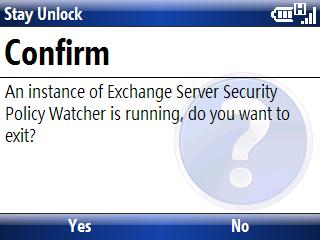
I “fixed” the problem by clicking on stayunlock in the /windows folder to run the program, a window came up, asking if I wanted to exit, I clicked yes. Then I clicked it again, no window popped up, but from then on, stayunlock has prevented the exchange server from enforcing security settings (even got a window the next day informing me of this.)
Not sure why but somehow running it twice made it work and it’s still working a week later.
Thanks xavier for your workaround. I havn’t had time to look into the bugs (reported firstly by folks using WM6 standard version, but it appears that the bug applies to WM6 professional as well).
Your observation should help me to nail down the bug faster, but I would need to wait for my next leave to get this sorted out.
workaround doesn’t work for me on htc mogul running WM6. hope you can get the fix done soon zen. great work, thanks.
is mogul running WM6 professional? If so, I may have found out the bug, and may be working on it this weekend.
Another satisfied customer – thank you!!
Motorola Q9m (VZW)
I didn’t post earlier, but I have the same bug on my Mogul — running WM6 Professional. Hope you find time for a fix — and thanks!
StayUnlock has just stopped working over the weekend. I tried reinstalling but to no avail. Has there been an update to exchange server or is it likely my IT dept. have wised up to the hack and blocked it?